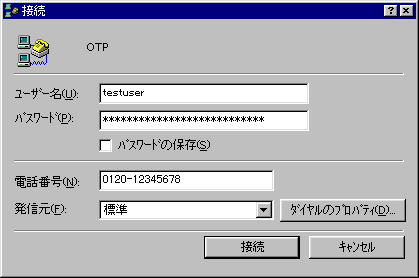
接続ダイアログで、ユーザー名とパスワードを入力します。パスワードの欄は見てのとおり長いです。しかも、この欄はペーストができないようで、手で入力しなければなりません。
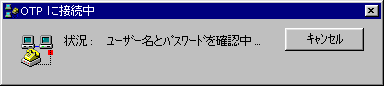
きんちょうのいっしゅん(笑
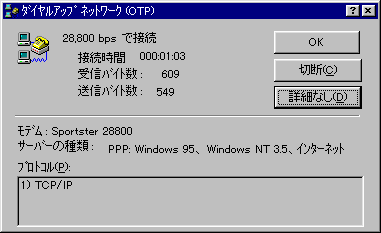
無事、接続できました。
Windows95には、標準でppp接続スタックが準備されています。
ダイアルアップネットワークアイコン - 新しい接続 をクリックし、質問に答えていくだけでppp接続が出来るようになるようです。
しかし、接続毎に毎回パスワードを入力するところまでは出来たのですが、どうもpapか何かで認証しようとしているらしく、OTPでは認証できません。
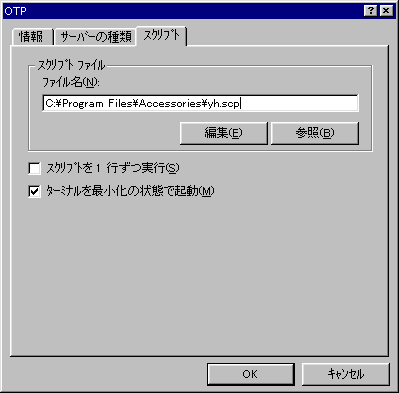
プロパティーを見てみると、スクリプトというタグがありログインスクリプトを使うこともできるようですが、使い方がわかりません。マニュアルにもありません。そこらの本屋さんの雑誌は、まるで参考になりません。
しかたないので、解析します。(※)
‥‥‥しかし、説明がなきゃ解析しようっていうのは‥‥‥ Oh!MZ で育った子の性ですかね?
で、このような感じになりました。
;
; This is a windows 95 dialup script file
;
; Main entry point to script
;
proc main

   ; Change these variables to customize for your
   ; specific Internet service provider

   integer nTries = 3

   ; This is the login prompt and timeout values

   string szLogin = "login:"
   integer nLoginTimeout = 3

   ; This is the password prompt and timeout values

   string szPW = "password:"
   integer nPWTimeout = 3


   ; -----------------------------------------------------


   ; Delay for 2 seconds first to make sure the
   ; host doesn't get confused when we send the
   ; two carriage-returns.

   delay 2
   transmit "^M^M"

   ; Attempt to login at most 'nTries' times

   while 0 < nTries do

      ; Wait for the login prompt before entering
      ; the user ID, timeout after x seconds

      waitfor szLogin then DoLogin
        until nLoginTimeout

TryAgain:
      transmit "^M"        ; ping
      nTries = nTries - 1
      szLogin = "login:"

   endwhile

   ; BailOut:
   ; Something isn't responding.  Halt the script
   ; and let the user handle it manually.

   set screen keyboard on
   halt

DoLogin:
   ; Enter user ID

   transmit $USERID, raw
   transmit "^M"

   ; Wait for the password prompt

   waitfor szPW until nPWTimeout
   if FALSE == $SUCCESS then
      goto TryAgain
   endif

   ; Send the password

   transmit $PASSWORD, raw
   transmit "^M"

Done:

endproc
(※)後になって、windowsディレクトリにScript.docという説明書があるのを
みつけました。
なんで helpシステムに採り入れずに、隠すように置いてあるのでしょう。
接続ダイアログで、ユーザー名とパスワードを入力します。パスワードの欄は見てのとおり長いです。しかも、この欄はペーストができないようで、手で入力しなければなりません。
きんちょうのいっしゅん(笑
無事、接続できました。